

 1
1
The information provided in this article is for informational purposes only and does not constitute financial advice. Investing in cryptocurrencies carries a high level of risk.
Most people protect their exchange account with whatever method the exchange puts in front of them at sign-up: a six-digit code by text message. That beats having nothing, and it is the weakest two-factor authentication in use. The reason, though, is not the one most guides give.
SIM swapping, the attack in which someone has your phone number moved to their own SIM card, has been in retreat for three years. The FBI complaint centre IC3 logged 2,026 reports with $72.7 million in losses in 2022, 1,075 reports with $48.8 million in 2023, 982 with $26.0 million in 2024 and only 971 with $17.4 million in 2025 (IC3 Annual Report 2023 and 2025). The real problem lies elsewhere. Against an attacker who lures you onto a fake login page in real time, neither an SMS code nor an authenticator app is any help. Both hand over exactly the code that attacker needs at that moment.
Two-factor authentication: the key points
- One-time codes sent over the telephone network are classed as a "restricted authenticator" in the US guideline NIST SP 800-63B-4 (July 2025), the only method in that category.
- Germany's federal cyber security agency BSI states that SMS TAN procedures and TOTP apps achieve nothing against real-time phishing routed through an intermediary proxy.
- SIM swapping losses fell from $48.8 million in 2023 to $17.4 million in 2025 according to the FBI. The attack is declining, though it has not disappeared.
- Phishing and spoofing were the most frequently reported offence type at the FBI complaint centre IC3 in 2025, with 191,561 reports.
- Passkeys and FIDO2 security keys are tied to the domain they were created for. A fake page simply receives no answer.
- Anyone who registers a single 2FA method and then loses the device is locked out by their own setup. The order you follow decides the outcome.
Why SMS is the weakest two-factor authentication
An SMS code leaves your control the moment it enters the mobile network. It hangs off a phone number, and a phone number is an administrative record held by a mobile operator rather than a cryptographic secret.
That is exactly where SIM swapping starts. The attacker persuades the operator to port the number to a new SIM, usually with stolen personal data or with the help of a bribed employee. Every code then arrives at their end.
The US guideline NIST SP 800-63B-4 of July 2025 keeps a classification the method already carried in its 2017 predecessor: delivering a one-time code over the telephone network counts as restricted, and at the time of publication it was the only method in that category. The classification applies to the channel rather than to SMS alone, so voice calls fall under it in the same way.
Anyone still deploying it has to document a risk assessment under the guideline and offer at least one method that is not restricted. They are also expected to watch indicators such as SIM changes or number porting.
For you as a user it comes down to this: if your exchange offers something better, SMS is the fallback rather than the first choice.
What two-factor authentication via an authenticator app delivers, and what it does not
A TOTP app such as Aegis, Ente Auth or the authenticator built into your password manager generates the code on the device itself, out of a shared secret and the current time. The code is never delivered over a third-party channel and cannot be intercepted in transit. SIM swapping runs into a dead end against it.
That is genuine progress, and for the vast majority of accounts it is the right compromise between effort and protection.
The blind spot remains all the same. The BSI puts it plainly in its assessment of 2FA methods: email and SMS TAN procedures as well as TOTP offer no protection where the second factor can be intercepted by an attacker's real-time proxy.
The sequence is unspectacular. You click a link, land on a page that looks like your exchange, and type in your password and the six-digit code. The fake page passes both to the real exchange in the same second and is inside. Your code was valid, just not in the place you assumed.
Two-factor authentication with a passkey or security key
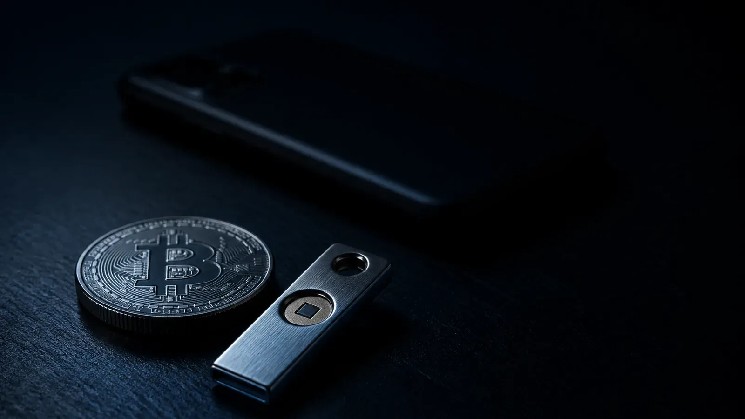
Passkeys and FIDO2 security keys solve this problem, and they do it not through a better code but by removing the code altogether.
During setup your device generates a key pair. The public half goes to the exchange, the private half stays on the device or on the stick. When you log in, the device signs a random number issued by the other side. What matters is that this signature is firmly tied to the domain the key was created for.
Kraken describes the mechanism in its documentation by saying that the operating system and the browser make sure a passkey can only be used for the website it was created for. A cloned page at a different address is therefore asking into the void, because your device never answers it. The BSI rates passkeys accordingly as resistant to common phishing attacks.
Two designs need to be told apart:
- Device-bound passkey or hardware security key – the private key never leaves the device. The strongest protection, but you absolutely need a second key as a spare.
- Synchronised passkey – the key sits in the keychain of Apple, Google or your password manager and is available on every one of your devices. More convenient, and the security then rests on how well that account itself is protected.
Two-factor authentication compared: which method protects against what
| Method | Protects against password theft | Protects against SIM swapping | Protects against real-time phishing | Source |
|---|---|---|---|---|
| SMS code | yes | no | no | NIST SP 800-63B-4, July 2025 |
| Authenticator app (TOTP) | yes | yes | no | BSI assessment, as of 2026 |
| Push confirmation in the app | yes | yes | limited | BSI assessment, as of 2026 |
| Passkey / FIDO2 security key | yes | yes | yes | BSI assessment, as of 2026 |
The real-time phishing column is the one that counts. Everything above the last row can be relayed onwards by an attacker sitting between you and the exchange, with push confirmation costing a little more effort because the attacker has to trigger the login attempt themselves.
Setting up two-factor authentication without locking yourself out
The most common damage with 2FA comes from a lost device rather than from an attack. Anyone whose only TOTP entry sat on a phone now at the bottom of the sea faces the same problem as a theft victim, minus the culprit.
The order that prevents it:
- Spare first, switch second. Buy a second security key or set up a second device with the same TOTP app before you turn SMS off.
- Print your recovery codes. Most exchanges display them exactly once. Put them on paper, keep them somewhere other than the device, and never store them as a screenshot in your photo library.
- Register both methods wherever you can. Many exchanges allow several 2FA methods side by side. A passkey plus TOTP beats a passkey on its own.
- Only then remove SMS, if the exchange permits it. As long as SMS stays active it is the weakest route into the account, and attackers always take the weakest one.
- Put withdrawal addresses on an allowlist. Even a successful break-in then leads nowhere while the destination address has not been approved.
What two-factor authentication does not cover
2FA protects access to an account held with a service provider. It does not protect the coins you hold yourself, where there is no account and no login at all, only the private key. How to secure that is set out at length in our guide to storing a seed phrase safely; steel plates, a passphrase and multisig solve there what 2FA solves on the exchange.
Nor does it protect you from making the transfer yourself. The most widespread scam since the MiCA deadline works on exactly that: a supposed request from the exchange to move your balance "to safety" because of new rules. We took apart how to spot those messages in our piece on phishing withdrawal requests. Keeping the two things apart, account protection on one side and custody on the other, covers the bulk of realistic attacks.
If you are weighing up a move anyway, the overview of regulated crypto exchanges sets out which providers hold a MiCA authorisation in the EU and what security features they offer. Authorisation says nothing about the quality of their 2FA, but it does say who you have a claim against in a dispute.
Frequently asked questions
Is two-factor authentication by SMS better than none at all? Yes, clearly. A stolen password on its own is no longer enough. SMS is the weakest tier rather than a useless one, and if your exchange offers nothing else it beats going without.
What happens if I lose the phone with my authenticator app? Without recovery codes or a second device already set up, all that remains is the exchange's support desk, with proof of identity and a wait. That is why the codes belong on paper before you switch the method on.
Are passkeys safe when they are synchronised to the cloud? The phishing protection is identical in both designs, because it rests on the domain binding. With a synchronised passkey the risk shifts to your Apple, Google or password manager account, which then needs strong protection of its own.
Do I need 2FA for my own wallet as well? No, it does not exist there in technical terms. A self-custodied wallet has no account that could be locked, only the private key. What protects you there is a passphrase, multisig and a properly stored backup.
Why does my exchange not offer a security key? FIDO2 costs implementation work, and many providers rank it low because very few users ask for it. Check which methods your provider lists in its security settings before you set anything up, as the choice varies widely.
Sources
- FBI Internet Crime Complaint Center: 2025 IC3 Annual Report (PDF, SIM swap and phishing figures 2023 to 2025)
- FBI Internet Crime Complaint Center: 2023 IC3 Annual Report (PDF, SIM swap figures for 2022)
- NIST: SP 800-63B-4, Digital Identity Guidelines (PDF, sections on restricted authenticators)
- BSI: How secure and how simple are two-factor authentication methods?
- Kraken Support, help article "What is a Passkey?" (support.kraken.com/articles/what-is-a-passkey)
(As of August 15, 2026. This article is not investment advice. Prices and fee structures change; check the terms with the provider before you buy.)

 bitcoinmagazine.com
 bitcoinworld.co.in
 cryptonews.net
 thenewscrypto.com
